
Use Video to Explain the Work, Then Check Understanding

Video can help communicate health and safety
information by showing a task, location or
response rather than relying on written
instructions alone.

Its usefulness depends on accurate content,
a suitable audience and an opportunity to
ask questions and demonstrate understanding.

A viewing record shows that a communication
activity took place. It does not, by itself,
demonstrate that someone can perform a task safely.


Explore training and competency management

Where Video Can Help

Consider video where a visual explanation
makes an instruction easier to understand.

  • Introducing a site and its access arrangements.
  • Explaining pedestrian and vehicle routes.
  • Demonstrating an approved task sequence.
  • Showing how to report a concern or incident.
  • Explaining changes to a working arrangement.
  • Supporting a briefing on identified hazards and controls.

Choose the format according to the task
and the people involved. Video may support
instruction, practical training and supervision
rather than replace them.

Define the Intended Outcome Before Recording

Start with what the viewer needs to know
or do after receiving the information.

  • Who is the intended audience?
  • Which activity or requirement does the video cover?
  • What must the person recognise or explain?
  • Which actions and escalation routes need to be clear?
  • What further instruction or practical assessment is needed?

Keep the message focused. A short explanation
of one task may be easier to use than a long
presentation covering unrelated subjects.

Check Accuracy, Accessibility and Suitability

Have the content reviewed by people with
appropriate knowledge of the activity and
its approved controls.

  • Show the working arrangements actually in use.
  • Avoid demonstrating shortcuts or unsafe practices.
  • Use clear language and explain unfamiliar terms.
  • Provide captions and an accessible written alternative.
  • Consider language and individual communication needs.
  • Make the relevant site or task limitations clear.
  • Provide a way to ask questions or report unclear instructions.

Review suitability for the intended audience.
A generic video may omit important local
hazards, equipment differences or responsibilities.

Manage Videos as Controlled Information

A video used to instruct people needs an
owner, an approval arrangement and a way
to identify the current version.

  • Record its purpose, scope and intended audience.
  • Assign responsibility for review and approval.
  • Maintain version and issue information.
  • Review it when tasks, equipment or controls change.
  • Withdraw or clearly identify superseded versions.
  • Communicate changes to affected people.

Avoid leaving an old video available as
an apparently current instruction after
the working arrangement has changed.


Explore document control

Distinguish Delivery, Understanding and Competence

Each type of evidence answers a different question:

  • Delivery: was the information made available?
  • Acknowledgement: did the person confirm receipt or review?
  • Understanding: can they explain the relevant requirements?
  • Competence: can they apply the required knowledge and skills?

Choose an evaluation method appropriate to
the task. A discussion or knowledge check
may establish understanding. Practical
demonstration and observation may be needed
to assess application.

Record limitations and provide further support
where the expected outcome has not been demonstrated.

Example: Introducing a Revised Site Traffic Arrangement

A site changes its pedestrian routes and
vehicle crossing arrangements.

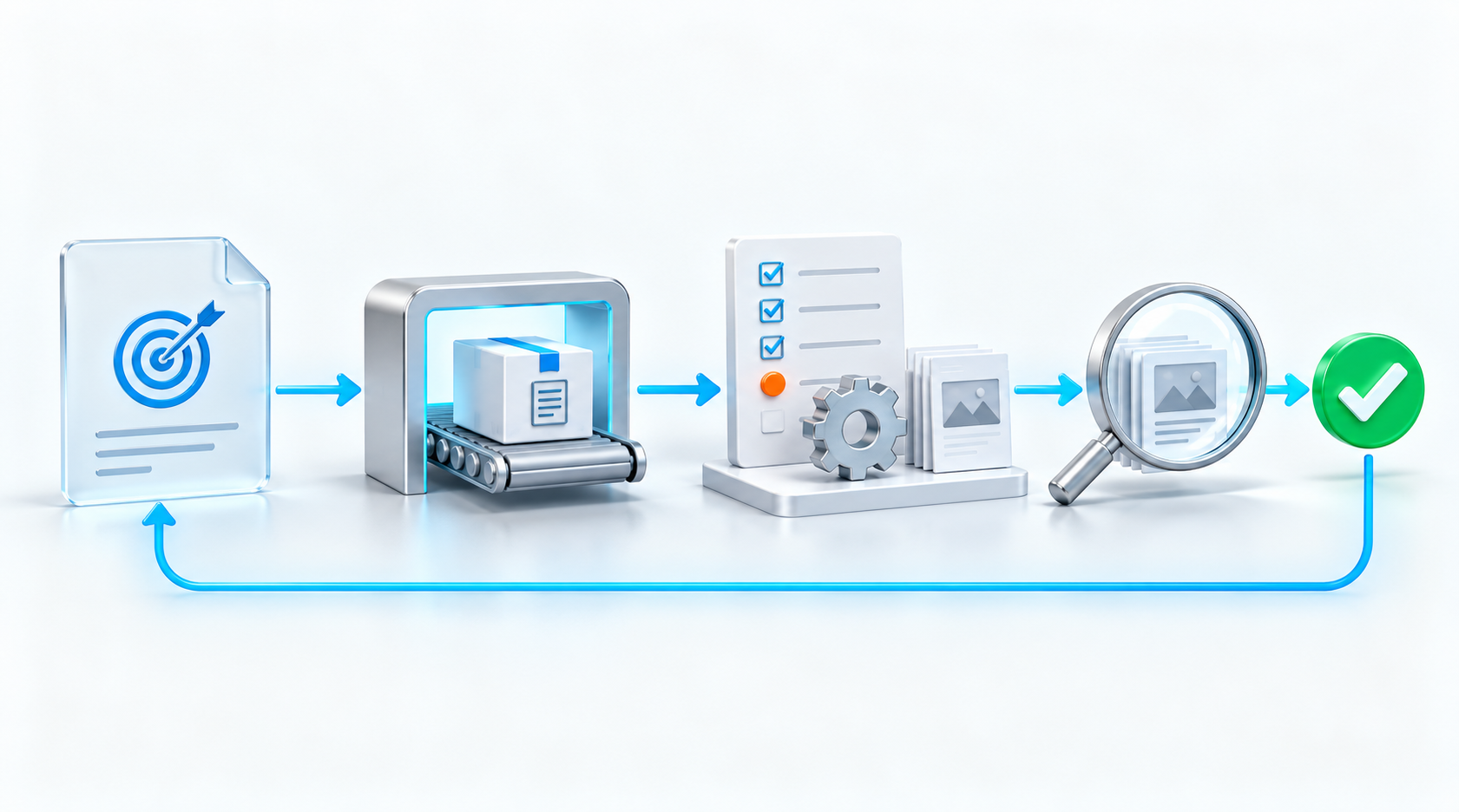
  1. A responsible person reviews and approves the new arrangements.
  2. A video explains the routes, crossings and reporting process.
  3. Affected employees and contractors receive suitable briefings.
  4. People can ask questions and confirm their understanding.
  5. Supervisors observe how the arrangements operate.
  6. Concerns and deviations are recorded and addressed.
  7. The communication is revised if checks reveal remaining confusion.

This illustrative example connects communication
with implementation and follow-up. The appropriate
arrangements depend on the site’s assessed risks.

Use Feedback and Audit Findings to Improve Communication

If people repeatedly misunderstand an instruction,
investigate the cause before simply asking
them to watch the same video again.

The content may be unclear, unsuitable for
the audience or inconsistent with the
resources and conditions at the point of use.

  • Ask employees what is difficult to understand or apply.
  • Review observations and reported concerns.
  • Compare the instruction with actual working conditions.
  • Check whether changes reached everyone affected.
  • Assign improvements and evaluate their effectiveness.

Internal audits can examine the communication
arrangements and the evidence supporting
their implementation.


Explore audit management software

Use Videos Within Zebsoft Workflows

Videos can form part of a Zebsoft workflow,
providing relevant guidance at the stage where
someone needs it.

For example, a workflow can present a video
explaining a task before the person completes
the associated checklist, records information
or submits work for review.

  • Introduce an activity and explain its purpose.
  • Demonstrate an approved method or control.
  • Explain what to check and what evidence to provide.
  • Guide people through reporting an issue or exception.
  • Support induction and task-specific instruction.

This connects guidance with the activity it
supports, helping people access instructions
within the workflow rather than searching
separate folders.

Configure the video, associated questions,
acknowledgement and review steps around
the intended outcome. A completed workflow
or acknowledgement does not, by itself,
prove that the video was watched in full
or that the person is competent.

Keep workflow videos under review so they
remain consistent with approved processes
and current working arrangements.

Common Questions

Can video replace practical health and safety training?

Video can support training. Whether practical
instruction, supervision or assessment is
also needed depends on the activity,
risks and applicable requirements.

Does watching a video prove competence?

No. Assess whether the person can apply
the required knowledge and skills using
a method suitable for the task.

How often should a video be reviewed?

Set suitable review arrangements and
reassess when tasks, equipment, hazards
or controls change, or feedback identifies
a problem.

Can we use existing videos?

Review their accuracy, relevance, accessibility
and approval status first. Confirm that
they reflect the current arrangements
and intended audience.

Make Safety Communication Part of a Controlled Process

Tell us how you currently share instructions,
record training and check understanding.
We can discuss how Zebsoft could support
the surrounding records and responsibilities.

Use the floating Request more information
button to ask a question, or book a demonstration.