CONTROLLED PLATFORM ACCESS
Compliance Software Portals
Extend Governed Work Beyond the Core System Team
Zebsoft compliance software portals give employees, suppliers, contractors, customers and authorised partners a controlled route into the information and workflows relevant to them. They do not receive broad access to the management system. They see the approved records, requests, tasks and evidence routes required for their role.
A portal is part of the connected Zebsoft Assurance Platform. Information remains linked to its owner, context, workflow and assurance status while interaction extends across organisational boundaries.
THE STRUCTURAL DEFINITION
A Governed Interface—not a Separate System
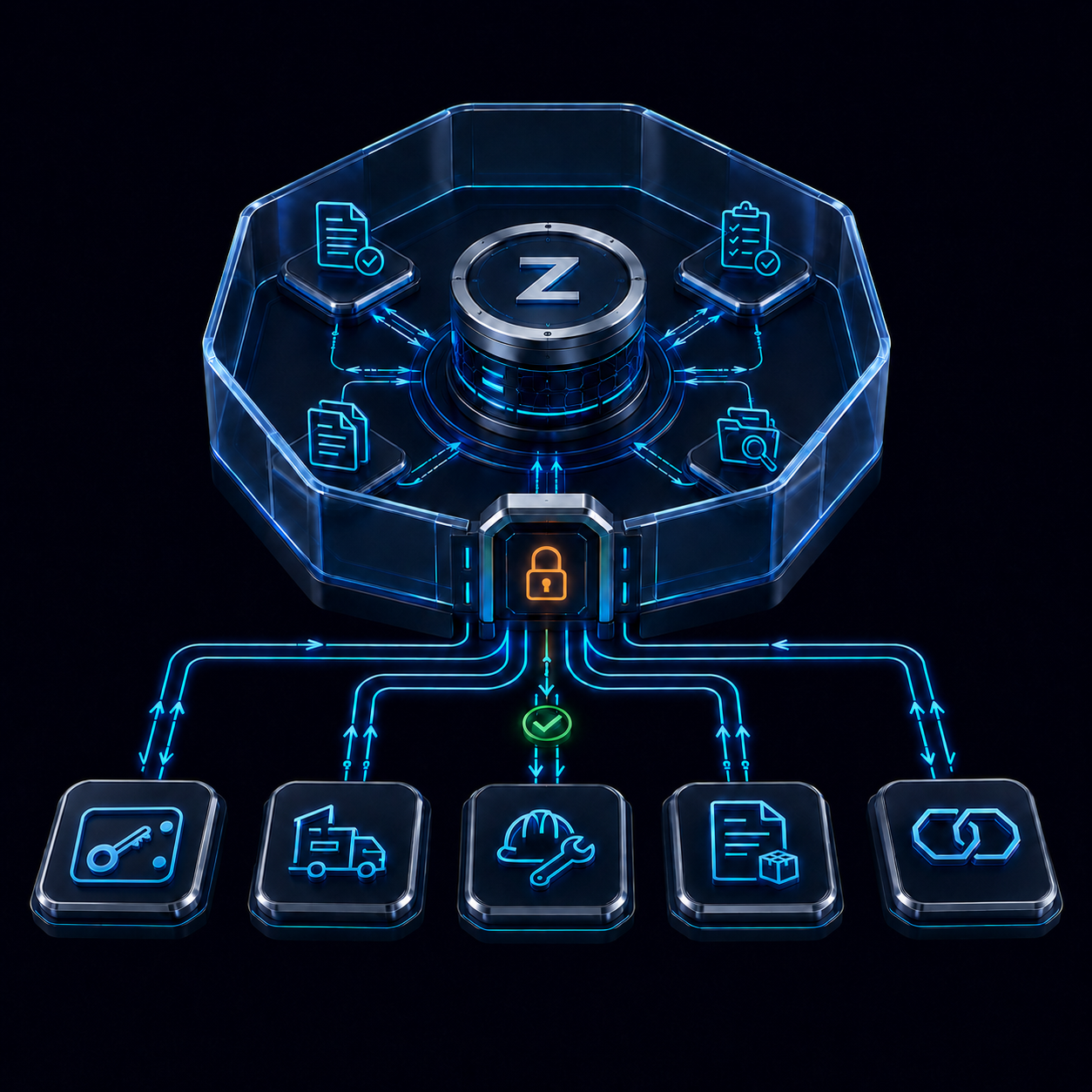
A portal controls how a defined audience interacts with selected platform information and workflows. The underlying record remains in the governed system. Its classification, ownership, permissions, revision, activity history and assurance context are not replaced by a second external database or a copied file.
This distinction matters. A supplier answering a compliance request, an employee acknowledging a policy and a customer receiving approved evidence are different interactions, but each can use the same core platform services for identity, workflow, notification, evidence and traceability.
WHERE PORTALS SIT
The Interaction Layer of the Assurance Platform
Portals do not create another compliance structure. They expose an authorised interaction from the existing structure and return the resulting response or evidence to the same governed context.
DEFINE—COMMUNICATE—OPERATE—ASSURE
Make Cross-Boundary Work Visible and Accountable
The portal supports the same operating philosophy as the rest of Zebsoft. It carries approved definition outward and brings evidence of operation back for assurance.
WHY PORTALS MATTER
Replace Email Chains and Shared-Folder Guesswork
Email and shared folders move information, but they rarely preserve the full operating relationship. Requests are copied, attachments become outdated, reminders depend on individuals and reviewers struggle to see what has changed, what is missing or who accepted the result.
A governed portal keeps the interaction attached to the record that created it. The request, authorised view, response, evidence, validation and resulting action remain available as one traceable route.
PORTAL TYPES
Different Audiences—One Governed Interaction Model
The audience and purpose change, but the underlying principles remain consistent: restricted visibility, accountable activity, connected evidence and authorised review.
VISIBILITY BY DESIGN
Show the Relevant Interaction—not the Whole System
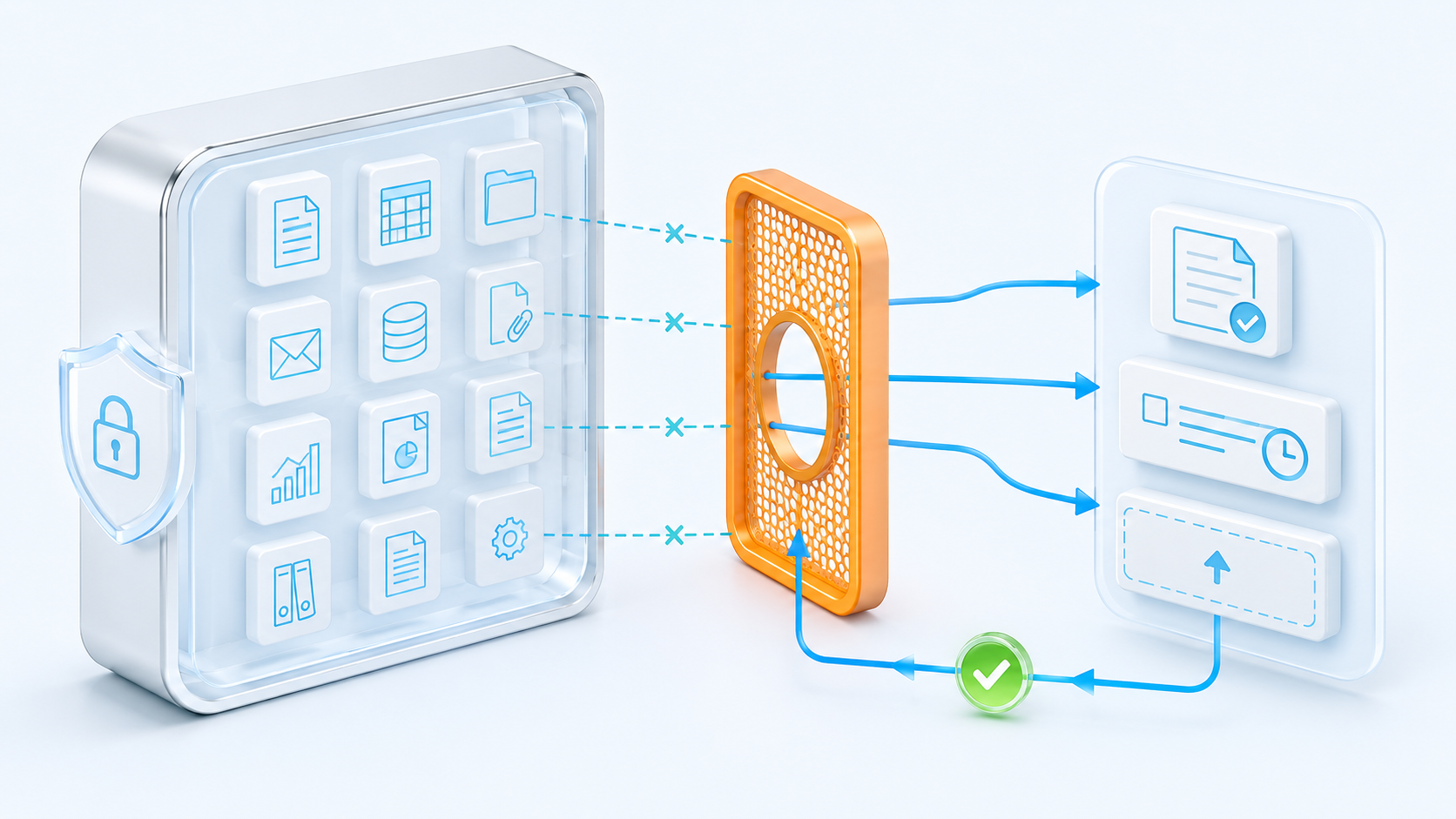
Portal simplicity comes from restriction, not from removing governance. The authorised user should see the information and actions necessary for the interaction and no unrelated administrative complexity.
Visibility can be configured around audience, organisation, role, site, subject, record, status and workflow position. The source record remains governed inside Zebsoft while the portal presents a clear route for the person expected to act.
THIS IS HOW WE SOLVE THE PROBLEM
One Workflow From Request to Verified Outcome
The portal is not the endpoint. It is the controlled interaction point within a wider assurance workflow.
WORKFLOW EXAMPLES
Use Portals Where the Work Crosses a Boundary
The portal type does not determine the entire process. The governed workflow can connect the interaction to the relevant people, supplier, document, risk, control, asset, audit, incident or action record.
CENTRALISED SIMPLICITY
One Record Can Support Internal and Portal Work
The most useful portal does not duplicate internal administration. It presents the external or workforce interaction from the same governed source used by the responsible internal team.
When a requirement changes, the organisation controls the source and its communication route. When evidence arrives, it returns to the existing record and workflow. When assurance is required, reviewers can see both the interaction and the system context that made it necessary.
GOVERNANCE CONTROLS
External Access Must Remain Deliberate
A portal reduces exposure only when its scope, permissions and operation are designed and reviewed. Technology cannot decide which information should be shared or who is entitled to receive it.
CONFIGURATION AND SCOPE
Portal Availability Follows the Agreed Operating Model
Not every implementation needs every portal type or workflow. The enabled audiences, records, permissions, functions, external-user volumes and delivery scope depend on the agreed subscription and configuration.
Start with the interaction that creates the clearest governance need—such as employee policy acknowledgement or supplier evidence renewal—then confirm the roles, visibility, evidence, review and escalation required before expanding the route.
PRACTICAL QUESTIONS
Compliance Software Portal FAQs
Portal design should follow the organisation’s information-classification, access, privacy, security and operational requirements.
What is a compliance software portal?
It is a controlled interface that lets an authorised audience view information, complete actions or submit evidence through workflows connected to the governed compliance system.
Is a portal a separate Zebsoft system?
No. A portal is an interaction layer of the connected Zebsoft platform. It presents selected information and workflows from the governed source rather than creating another isolated compliance application.
Do portal users see all system information?
No. Portal visibility is restricted to the records, requests, tasks and information authorised for the person’s role and interaction.
Can employees use a portal?
Yes. The employee portal can extend policies, learning, competence, tasks, acknowledgements and evidence requests to the wider workforce through a simpler role-relevant view.
Can suppliers and contractors upload evidence?
Yes, where that interaction is configured. They can respond to requests and submit permitted information or evidence for responsible people to review.
Does a portal remove the need for human review?
No. The portal structures communication and evidence exchange. Competent and authorised people remain responsible for validation, acceptance, rejection, escalation and assurance decisions.
Are portals included in every subscription?
Not necessarily. Available portal types, external-user volumes, functions and implementation scope depend on the agreed subscription and configuration.
Can existing external processes be moved into a portal?
Yes. Current forms, questions, evidence requests and workflows can be assessed and mapped into a phased configuration, subject to source quality, access requirements and the agreed migration scope.
CONNECT THE PEOPLE OUTSIDE THE CORE SYSTEM
Extend the Workflow Without Losing the Governance
Begin with one real cross-boundary process and follow it from requirement through visibility, response, evidence, verification and assurance. That demonstrates how a portal simplifies interaction while keeping ownership and control inside the wider assurance system.