
RECORD IT. ADDRESS IT. ASSURE IT.
Incident Management Software
Turn Operational Events Into Controlled Improvement
Zebsoft incident management software connects reporting, triage, investigation, actions, evidence and effectiveness verification within one governed workflow.
Move beyond maintaining an incident log. Give employees and authorised participants a clear reporting route, make responsibility and escalation visible, connect findings to affected risks and controls, and retain the human decisions that show how the organisation responded and what it learned.
THE INCIDENT IS THE STARTING POINT
Recording What Happened Is Not the Same as Addressing It
An incident can be a safety event, quality nonconformity, environmental occurrence, information security breach, supplier failure, equipment problem, customer complaint or other operational exception. The initial report captures the event; it does not by itself establish cause, risk, responsibility or an effective response.
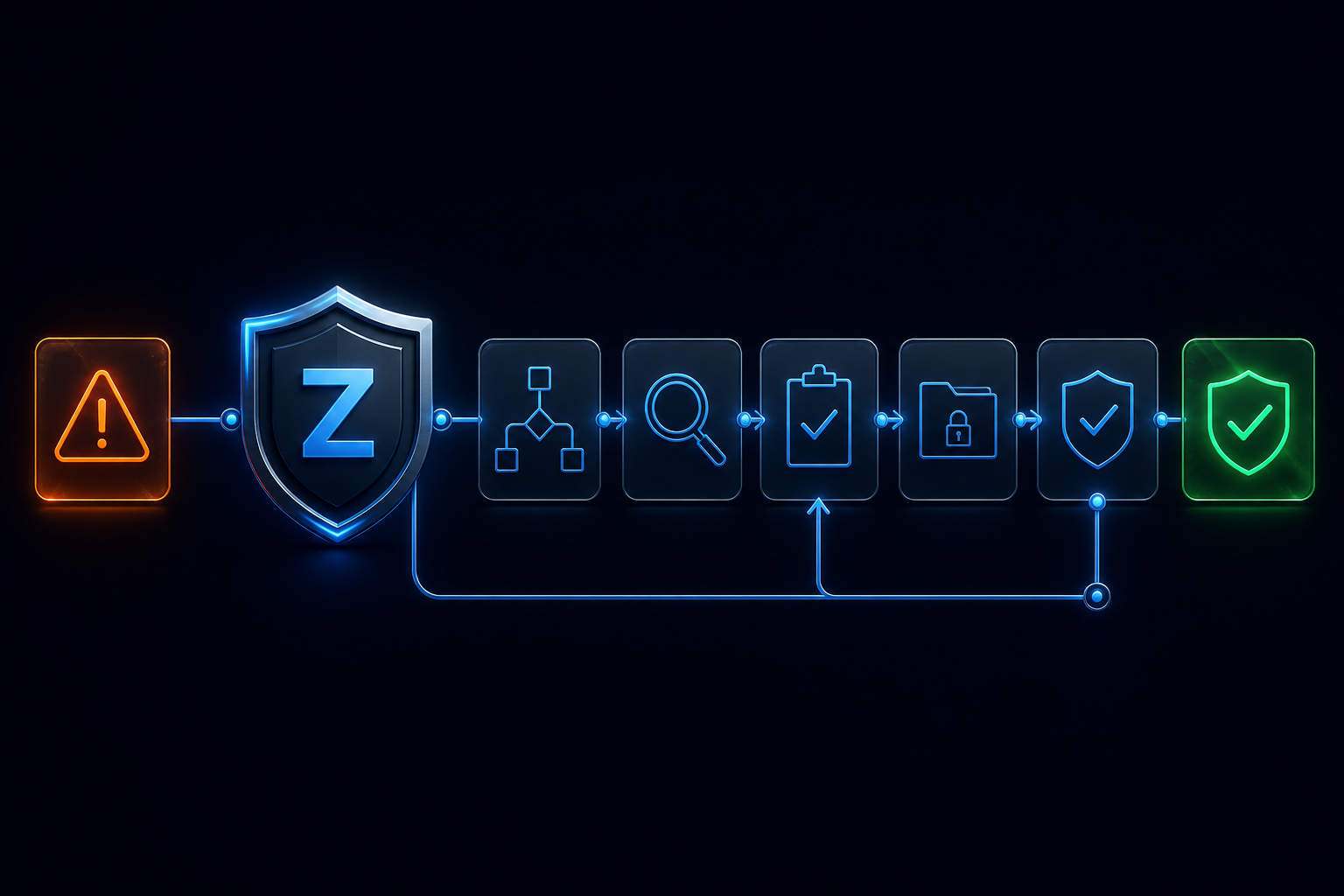
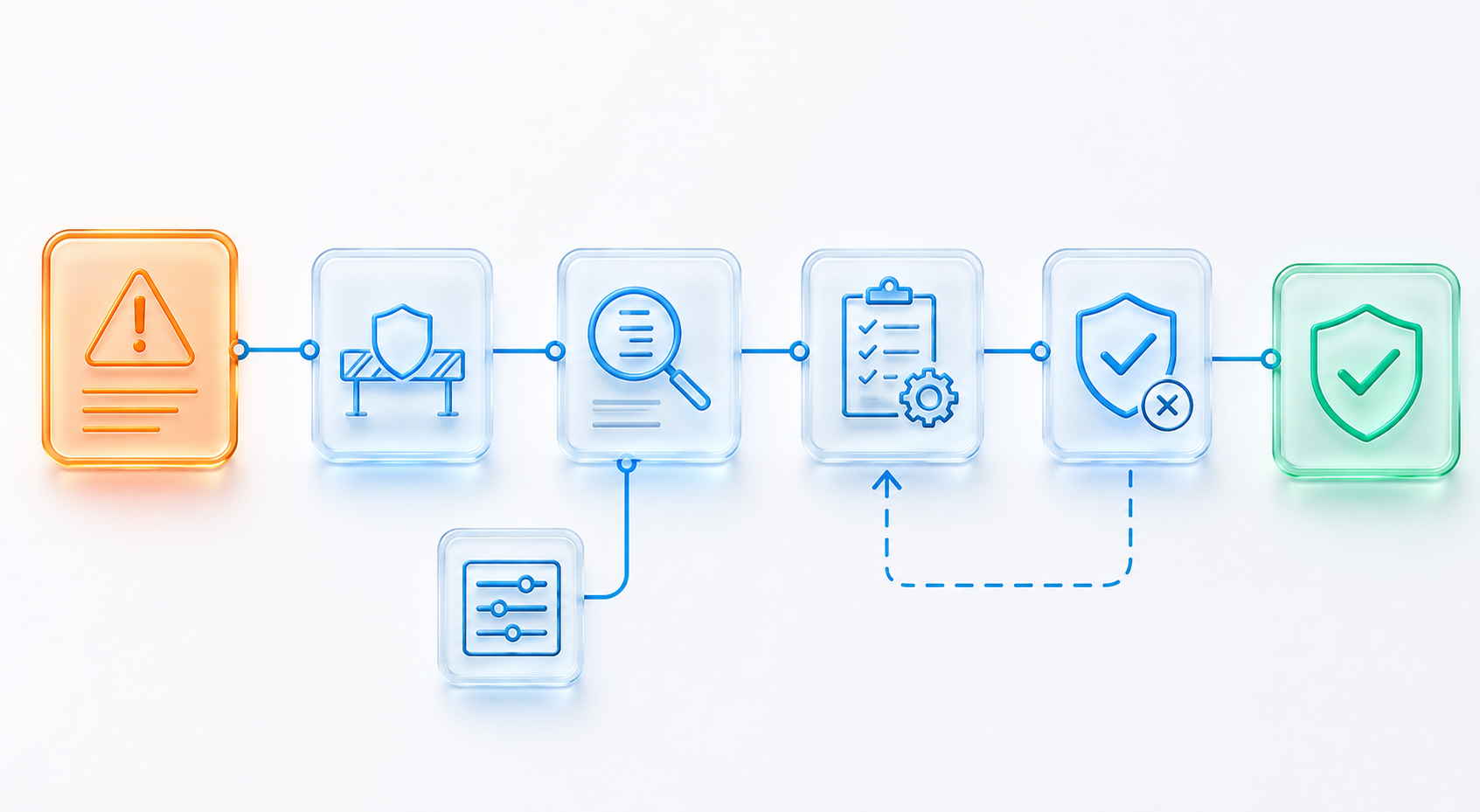
The greater value comes from connecting the report to immediate control, competent investigation, affected risks and procedures, owned actions and a later decision about effectiveness. Zebsoft keeps those relationships visible so the event does not disappear into a closed form or spreadsheet row.
WHAT INCIDENT MANAGEMENT SOFTWARE SHOULD DO
Control the Complete Route From Report to Learning
Incident management software should help an organisation receive an event, protect urgent information, assess significance, coordinate immediate action, assign competent investigation and retain the evidence and decisions produced at each stage.
It should also connect the outcome to the wider management system. A finding may alter a risk assessment, control, procedure, competency requirement, supplier condition, maintenance plan, audit priority or change decision. The incident remains one record, while its consequences become governed work elsewhere in the platform.
THE CONTROLLED INCIDENT LIFECYCLE
Every Stage Has a Distinct Purpose and Responsible Decision
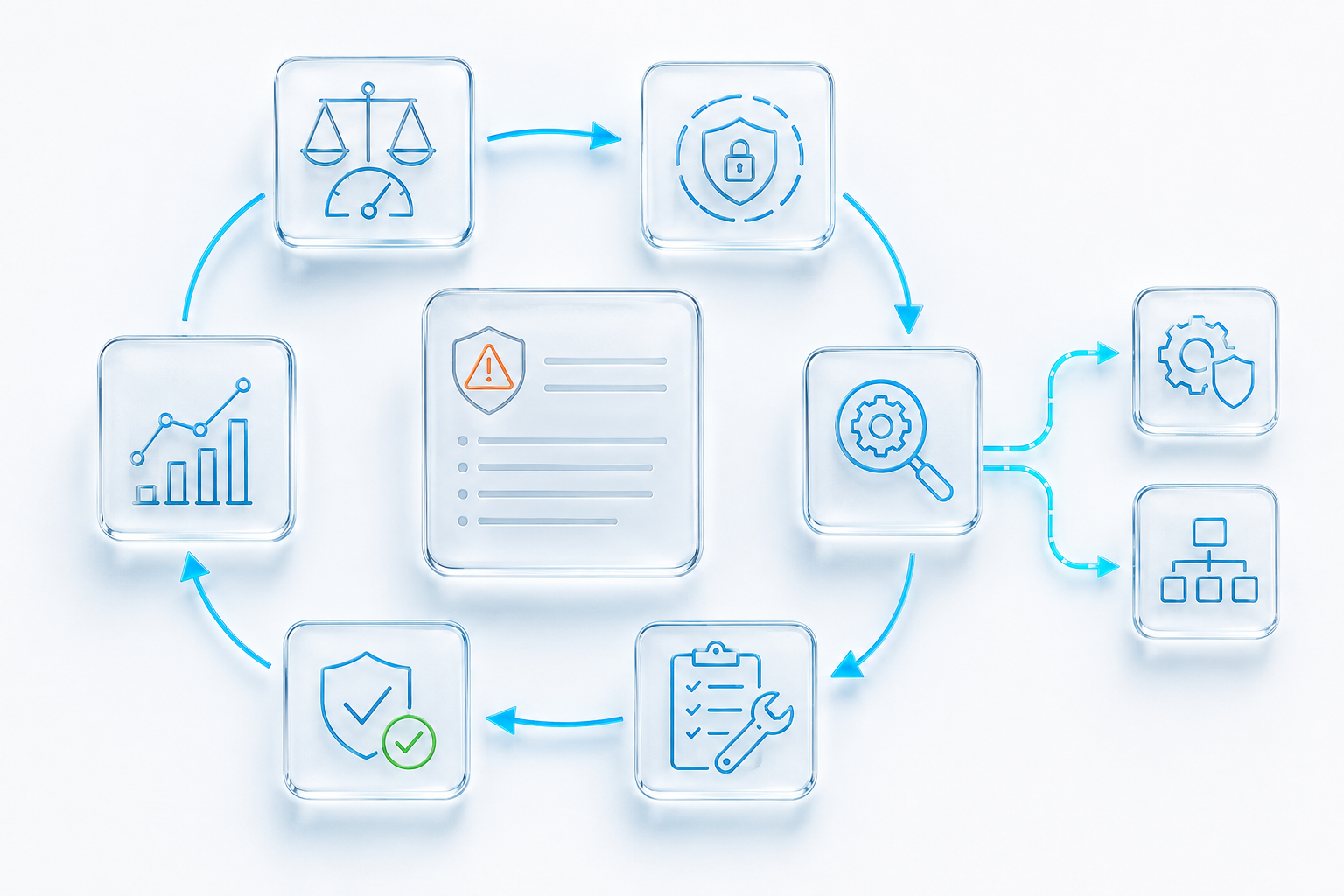
The exact route can vary by incident type and severity. The lifecycle below provides a governed structure without assuming that every event requires the same investigation depth or approval path.
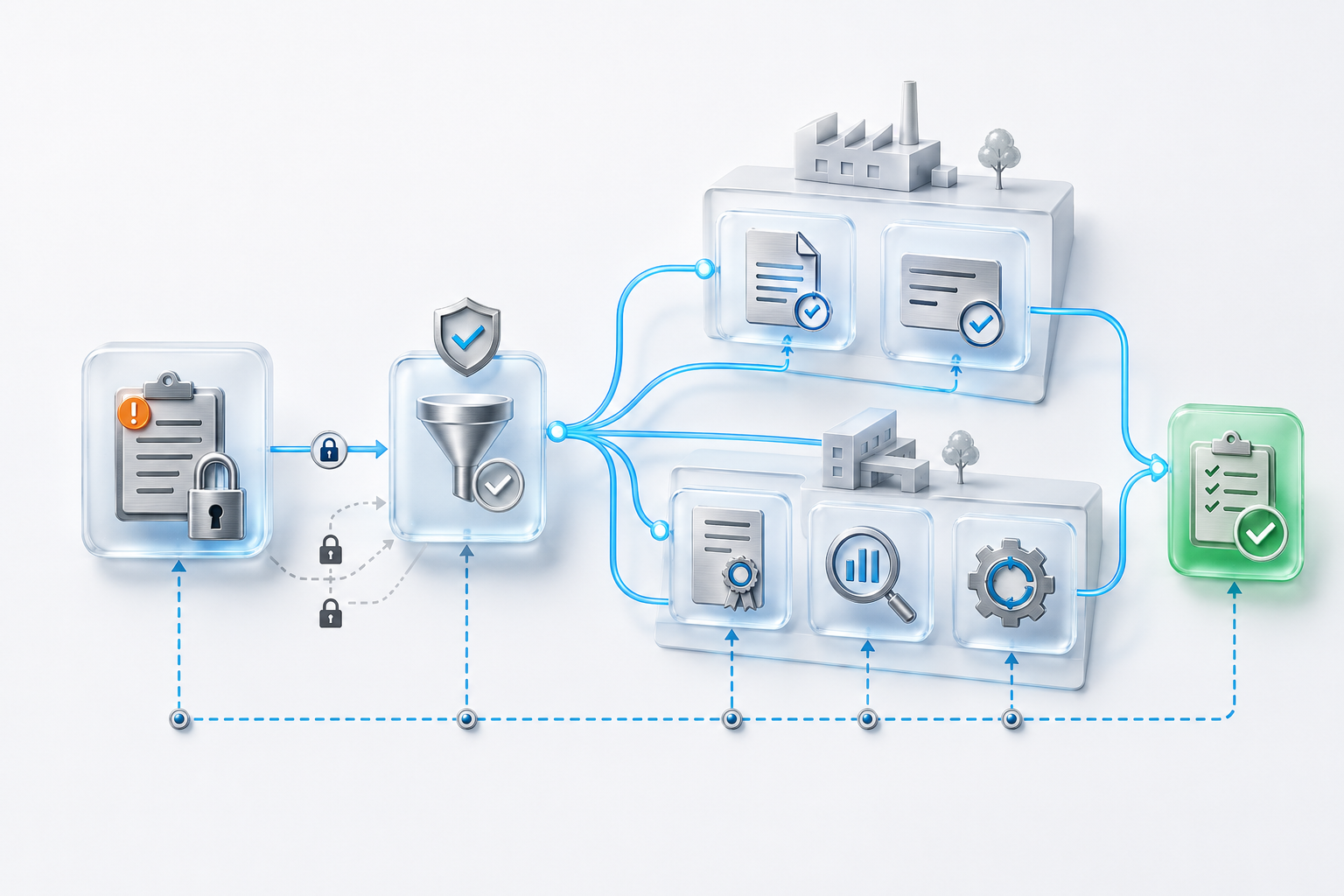
Report → triage and containment → ownership → investigation → causes → controlled response → human effectiveness verification → learning and assurance
DEFINE–COMMUNICATE–OPERATE–ASSURE
The Incident Workflow Follows One Coherent Operating Model
DCOA connects the incident route to the organisational arrangements and human authority required to manage it properly.
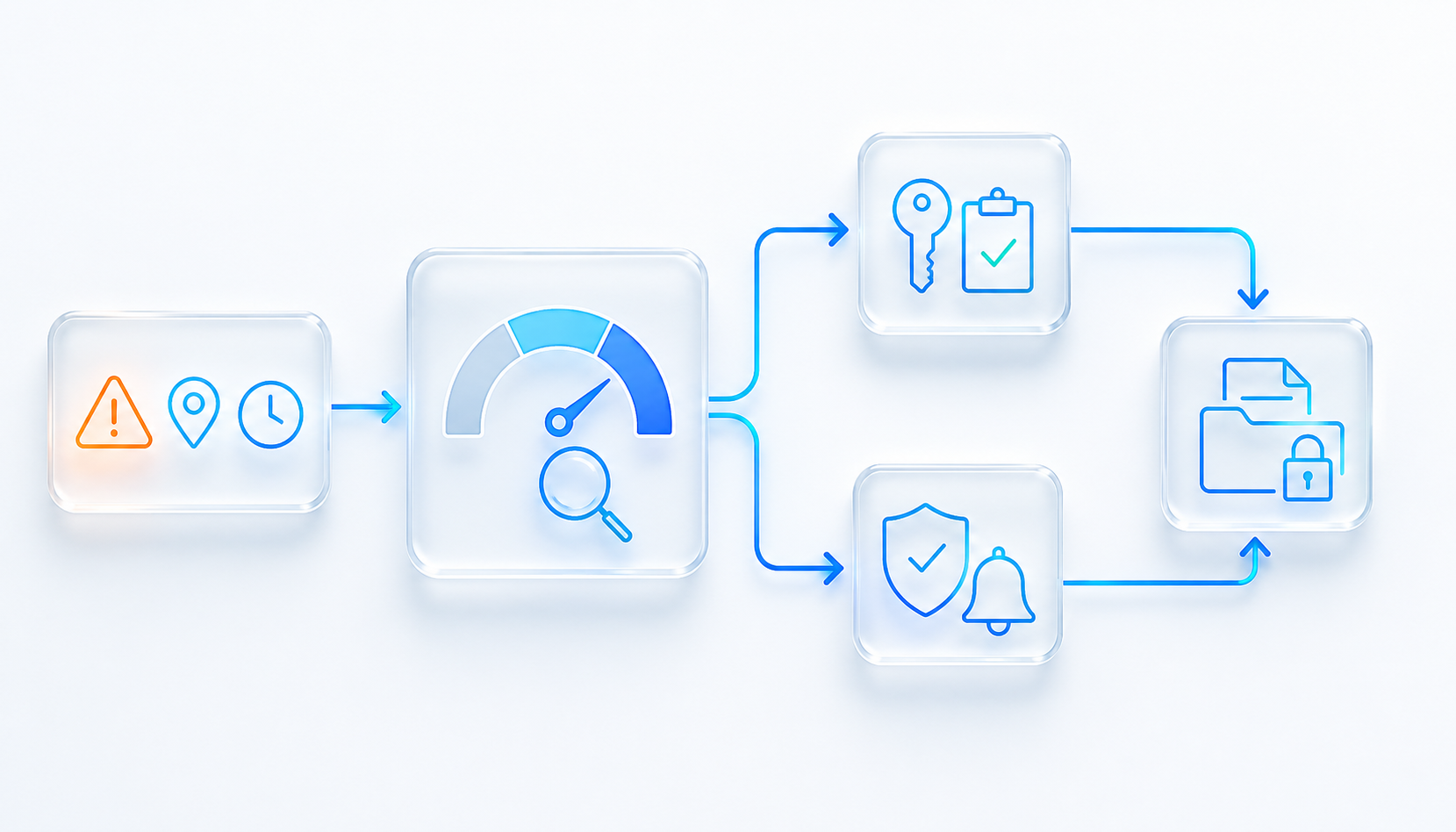
REPORTING, TRIAGE AND IMMEDIATE RESPONSE
Make Reporting Simple Without Making Assessment Superficial
A reporter should be able to provide the essential facts without needing to understand the complete investigation process. Configured forms can present relevant questions according to the event type, role, location or reporting route.
Triage then places the report in context. Authorised people assess actual and potential impact, decide whether urgent containment or notification is needed, control visibility where information is sensitive and allocate the correct owner. High-severity events can follow a different escalation and review route from low-risk operational issues.
FACT-BASED INVESTIGATION
Use a Proportionate Method and Keep the Evidence Connected
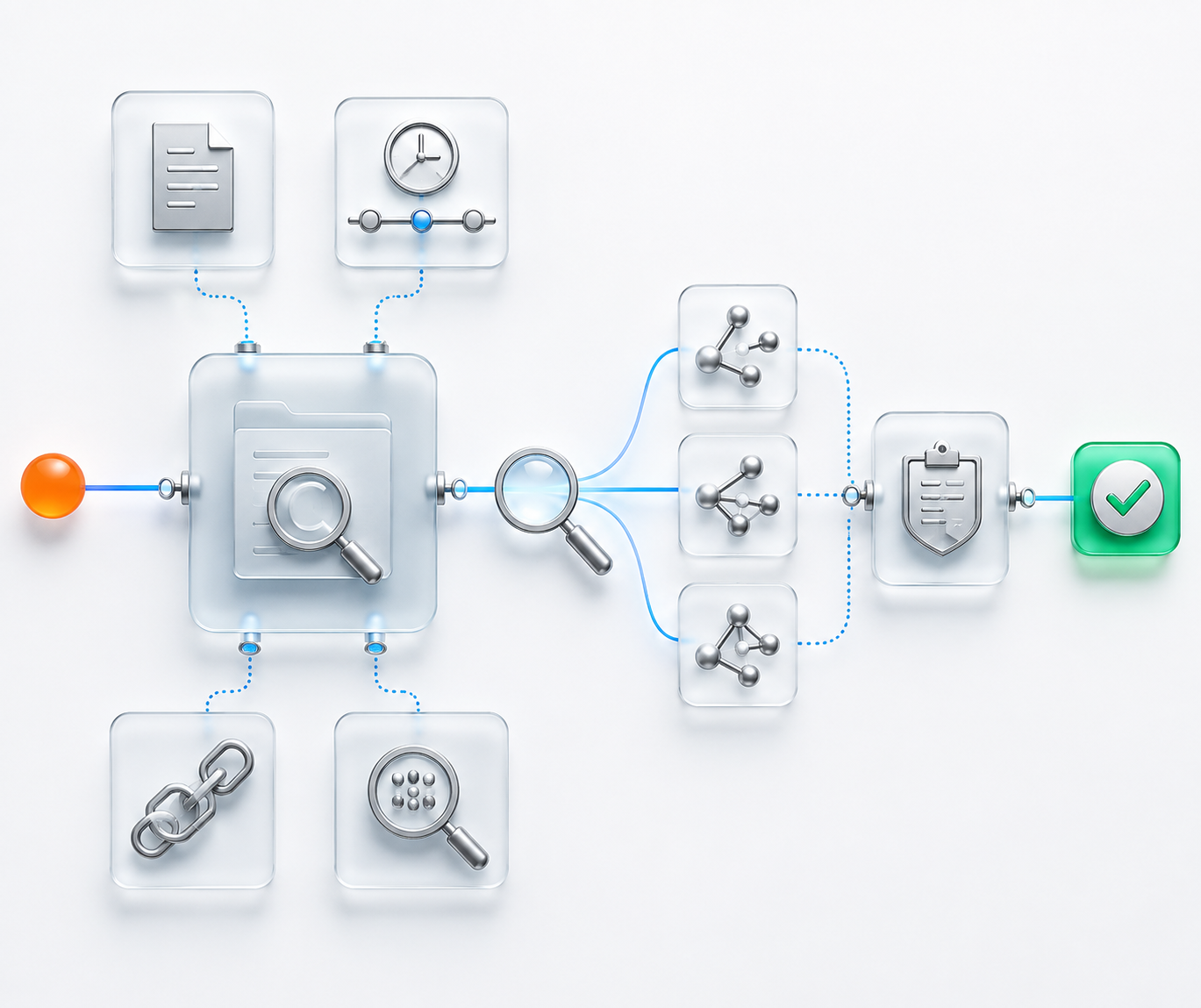
Investigation should establish what is known, what remains uncertain, which conditions contributed and how the event relates to existing requirements, risks and controls. The workflow can prompt evidence collection, participant input, chronology, document review and competent approval without forcing every investigator into one rigid technique.
Methods such as 5 Whys, fishbone analysis, barrier analysis or another approved approach can be used where appropriate. The method supports thinking; it does not create the cause automatically. Investigators and reviewers remain responsible for the quality and reasonableness of the conclusion.
CORRECTION AND CORRECTIVE ACTION
Completion Is Visible; Effectiveness Is Judged Separately
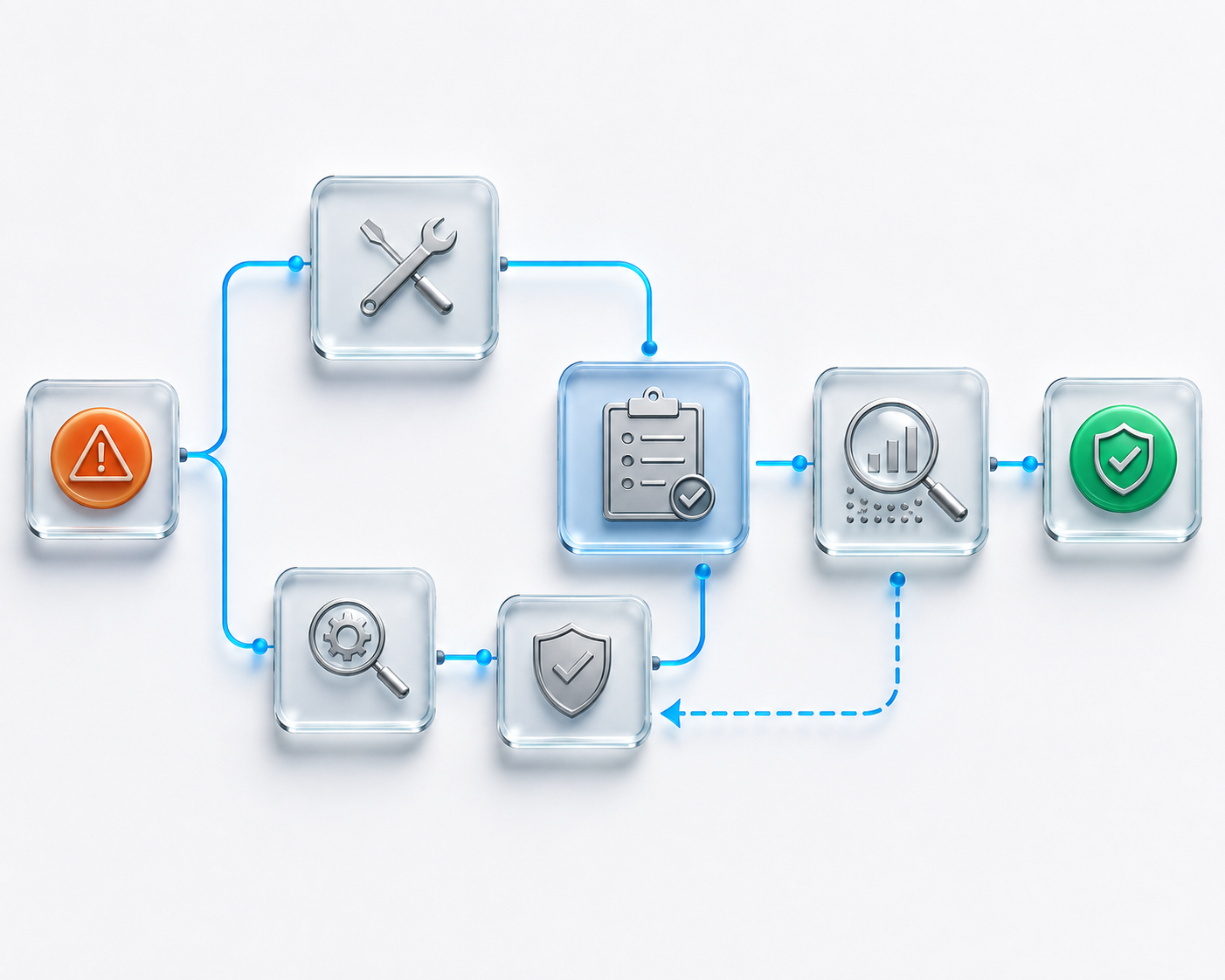
Immediate correction addresses the detected problem. Corrective action addresses relevant causes to reduce the likelihood of recurrence. The incident workflow should keep those purposes clear and connect each action to an owner, due point, expected evidence, approval route and affected context.
Zebsoft can notify action owners, track dependencies, identify overdue work and retain completion evidence. Closing an action does not prove that the cause was addressed. A separate effectiveness review allows a competent person to consider current evidence and accept, reject or extend the response.
OPERATIONAL VALIDATION AFTER CLOSURE
Check Whether the Improvement Became Normal Operation
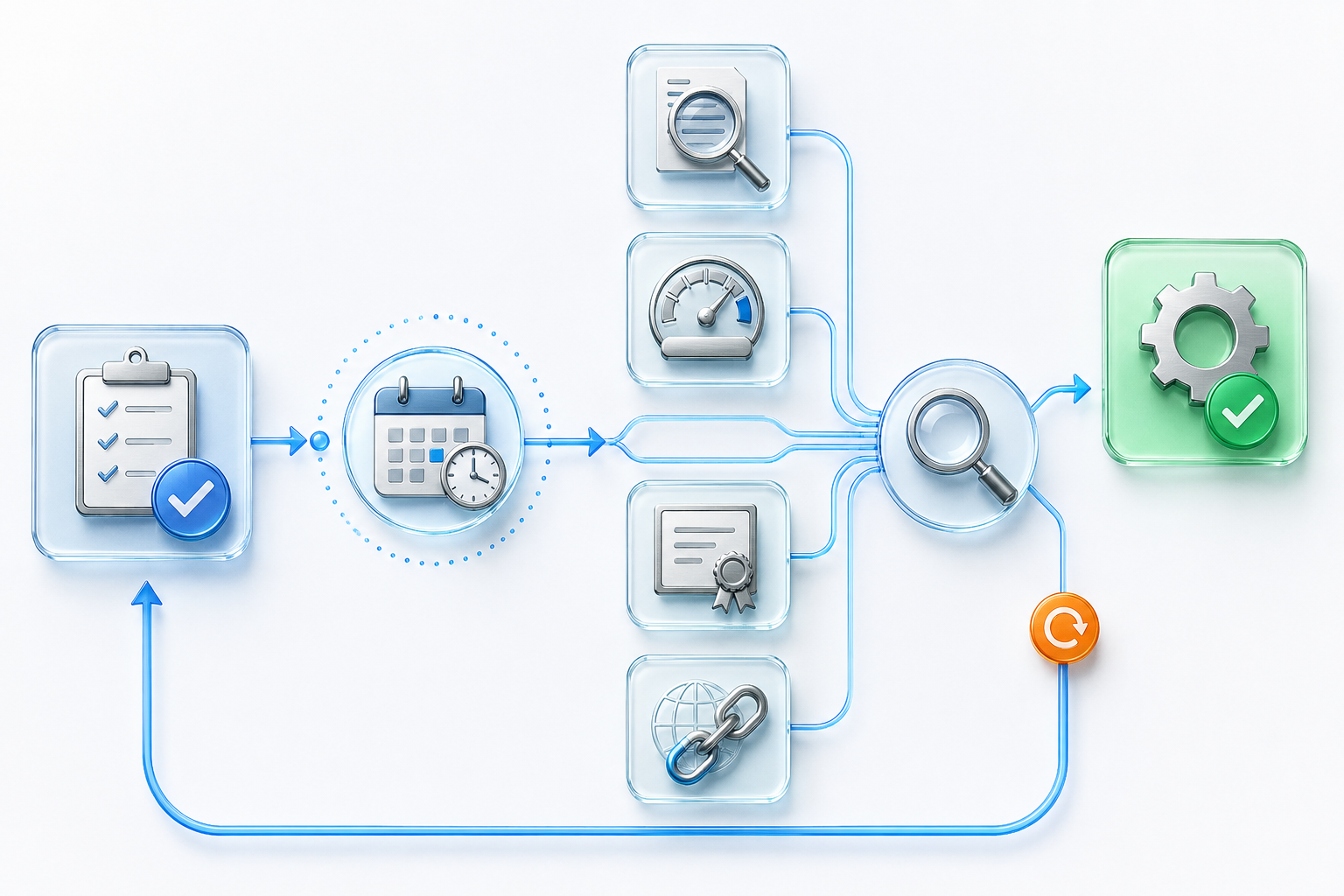
Effectiveness may require more than one review at the point of closure. A revised procedure may need acknowledgement and competent application. A changed supplier control may need new approval evidence. A maintenance response may need an inspection result. A recurring issue may need targeted audit or trend review.
ZAP can schedule or trigger appropriate follow-up validation and bring current evidence back to the responsible reviewer. It does not assume that a completed task proves lasting effectiveness. The organisation defines the validation method and authorised people decide what the evidence means.
CONNECTED IMPROVEMENT WORKFLOWS
An Incident Can Change More Than the Incident Record
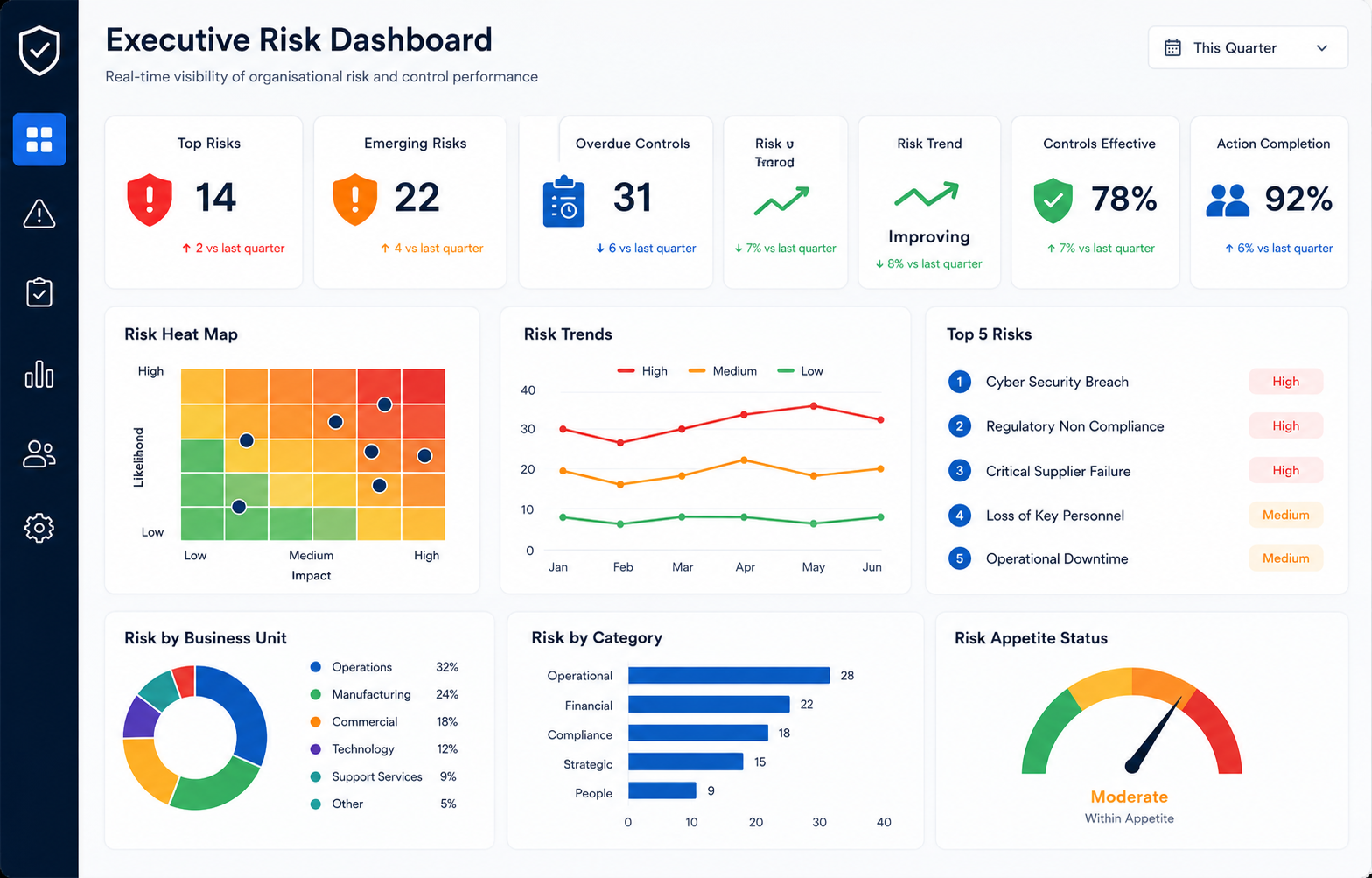
The investigation outcome can initiate controlled work across the wider Zebsoft Assurance Platform while every action remains traceable to the original event.
MANAGEMENT VISIBILITY
Give Leadership Context, Not Just Incident Counts
A total number of incidents does not show seriousness, recurrence, investigation quality, overdue response or whether improvement is effective. Leaders need proportionate visibility of the current position and a route back to the supporting evidence.
Zebsoft can present configured dashboards and reports using the authorised operational data recorded through the incident lifecycle. Views can show trends by event type, location, process or business unit together with severity, ownership, overdue work, causes, related risks and effectiveness status. Interpretation and management decisions remain with the responsible people.
USED ACROSS THE ORGANISATION
One Governed Incident Capability, Several Event Contexts
The reporting and investigation engine can remain coherent while each event type uses appropriate questions, visibility, competence, escalation and professional judgement.
ORGANISATIONAL LEARNING
Make Lessons Available Beyond the Investigation Team
An incident should create usable organisational knowledge, not just a completed report. Relevant learning may need to reach another location, process owner, supplier manager, auditor, asset owner or employee group without exposing restricted information unnecessarily.
Zebsoft can connect approved learning to changed documents, communication, tasks, training, risk review, audit planning and operational validation. Permissions and audience rules preserve appropriate visibility. The incident owner can see whether required follow-up occurred, while leadership can see how recurring learning influences the wider assurance position.
THIS IS HOW ZEBSOFT SOLVES THE PROBLEM
From Fragmented Reporting to Connected Assurance
The difference lies in what happens after the initial form is submitted and whether every resulting decision remains traceable.
RESPONSIBLE USE OF AI
Support Investigation Analysis Without Inventing Facts or Causes
AI may help authorised users interrogate approved incident information. It does not become the investigator, evidence source or decision-maker.
IMPLEMENTATION AND TRANSITION
Replace Incident Spreadsheets Without Losing Useful History
Begin with a controlled reporting and response route, then extend connected assurance as priorities and data quality become clear.
INCIDENT MANAGEMENT WITHIN THE WHOLE SYSTEM
Use the Incident as Evidence of How the Organisation Operates
An incident is not isolated from governance. It can reveal whether risk assumptions were reasonable, controls were operated, information reached the right people, competence was sufficient, suppliers met conditions and management arrangements responded as intended.
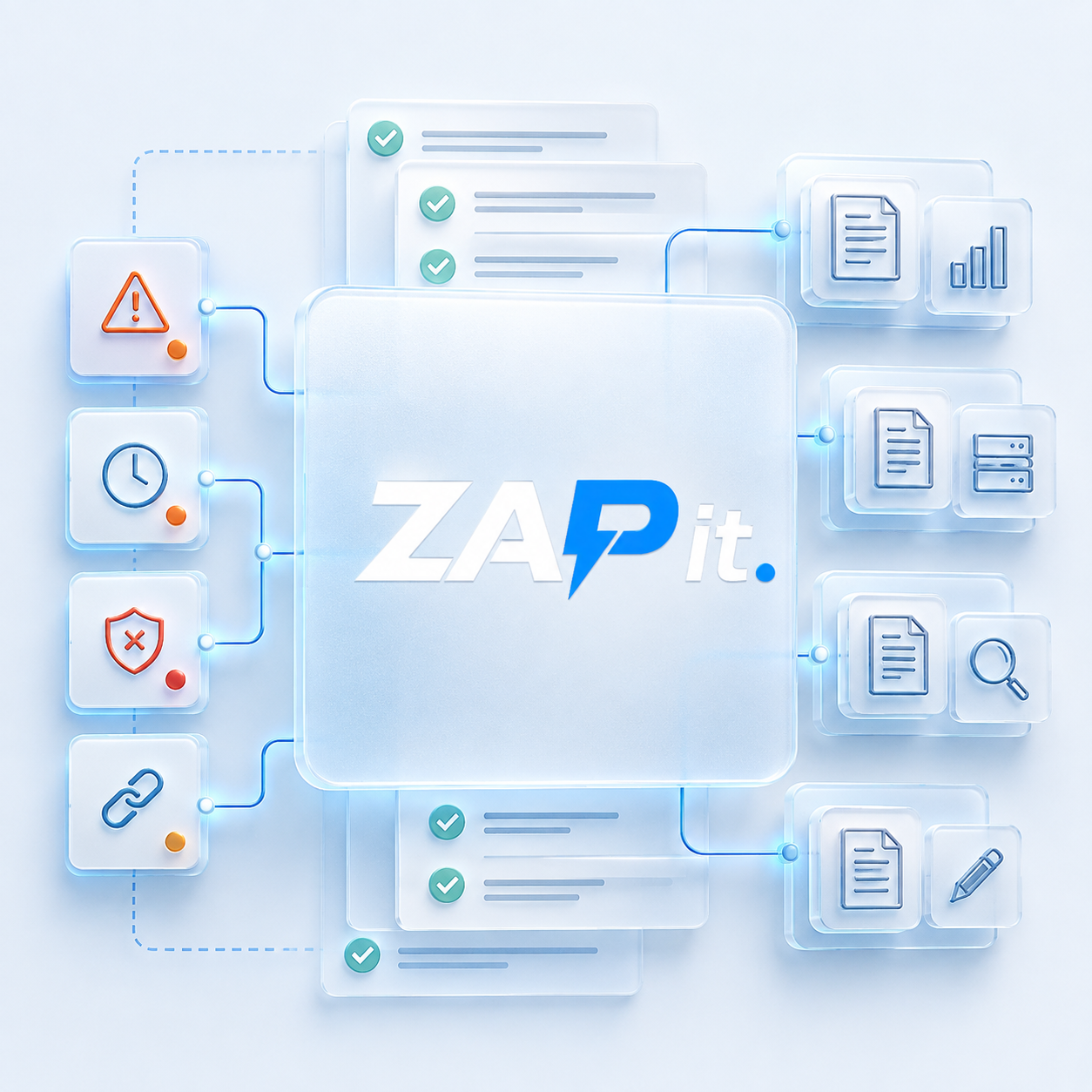
By connecting the incident lifecycle to the wider Zebsoft Assurance Platform, organisations can retain one traceable route from initial report to current assurance. The platform supports visibility and evidence; responsible people remain accountable for the facts, response and accepted conclusion.
PRACTICAL QUESTIONS
Incident Management Software FAQs
These answers explain how Zebsoft controls the incident lifecycle without replacing competent investigation or organisational responsibility.
What is incident management software?
Incident management software provides a controlled route for reporting, triage, investigation, causes, actions, evidence, approval and effectiveness verification. It helps organisations manage operational events consistently and retain a traceable history.
What types of incidents can Zebsoft manage?
Configured workflows can support safety events, environmental incidents, quality nonconformities, complaints, information security events, supplier failures, equipment problems, continuity events and other operational exceptions.
Can employees and external participants report incidents?
Yes, where the relevant account, portal and permissions are configured. Each route can present appropriate questions and visibility while restricted information remains controlled.
Does Zebsoft perform root cause analysis automatically?
No. Zebsoft can structure approved methods and retain evidence, analysis and review. Competent investigators remain responsible for determining causes and the quality of the conclusion.
Can incidents create corrective actions automatically?
Configured rules can initiate actions, assign owners, set due points and escalate missed work. Authorised people remain responsible for deciding the appropriate response and accepting its evidence.
How does Zebsoft verify corrective action effectiveness?
A separate review can be scheduled or triggered after completion. The reviewer considers relevant evidence and records whether the intended result was achieved, further validation is required or the response must be extended.
Can incidents update risks and controlled documents?
Yes. The workflow can initiate risk review, document change, training, supplier, asset, audit and other connected activity while preserving the relationship to the originating incident.
Does incident management software guarantee compliance?
No. Zebsoft helps organisations operate approved workflows and retain evidence. The organisation remains responsible for reporting duties, investigation quality, competent decisions, resources, controls and actual outcomes.
ZAP IT. RECORD IT. ADDRESS IT.
Follow One Incident From Report to Verified Improvement
Bring a real incident type, nonconformity or recurring operational issue. We can show how Zebsoft controls reporting, investigation, connected actions, retained evidence and human effectiveness verification across the complete route.