ENTERPRISE eQMS FOR US TEAMS
Enterprise eQMS Software for US Operations
Connect Quality Across Facilities, Teams and Workflows
ZEBSOFT enterprise eQMS software helps US quality teams connect documents, audits, CAPA, training, supplier assurance and change control. Give each facility a defined way to record work, route decisions and retain supporting evidence.
Use shared quality controls with local responsibilities across US facilities and international operations. ZAP connects each activity to its owner, workflow and history so quality leaders can review overdue actions, exceptions and recurring issues across locations.
THE OPERATING-SYSTEM GAP
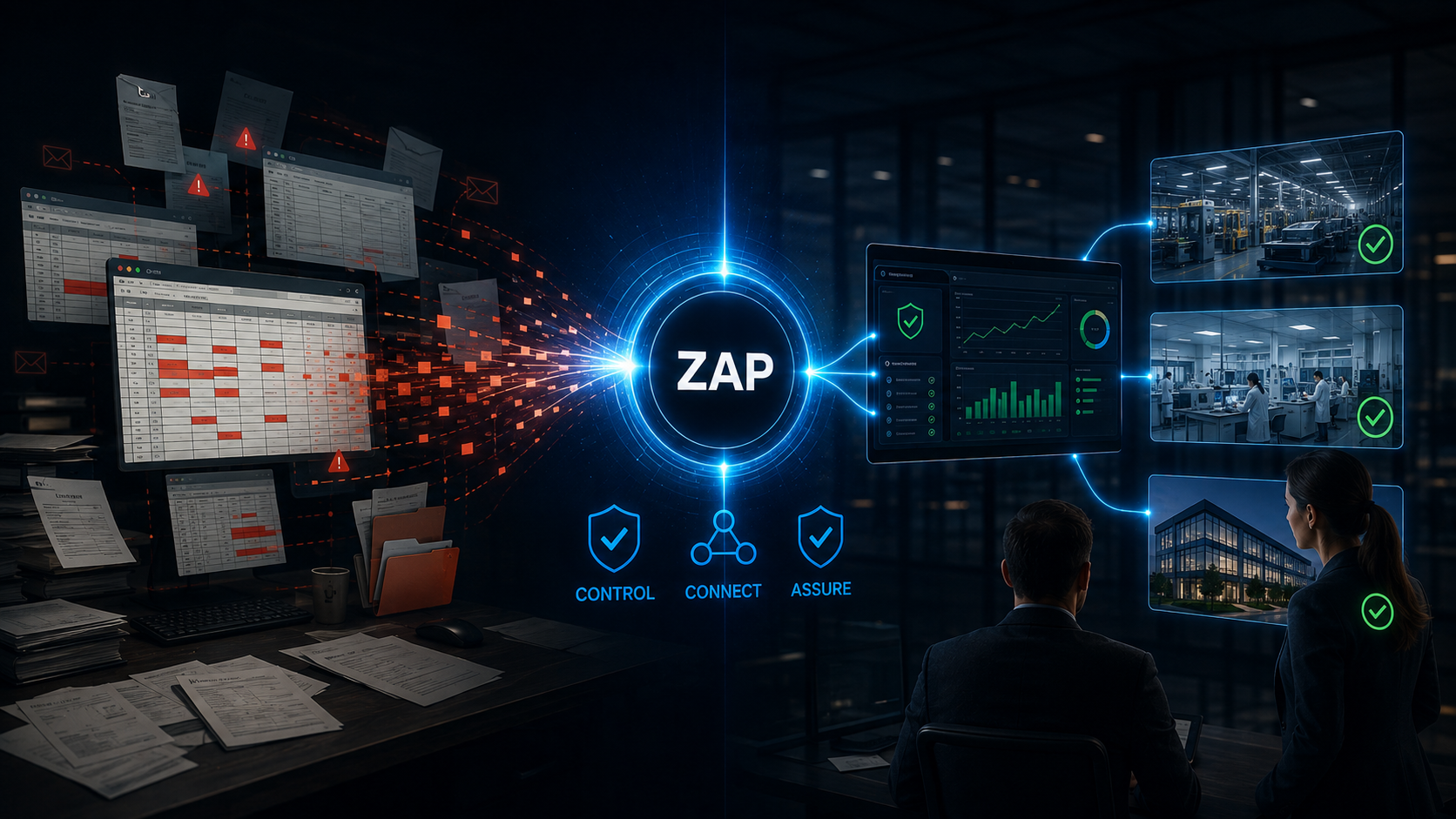
Spreadsheets and SharePoint Can Help—But They Are Not the Whole Quality System
Spreadsheets are useful for calculations and flexible local lists. SharePoint is useful for collaboration, managed files, permissions and version history. Problems arise when either becomes the main mechanism for coordinating quality decisions across people, processes and sites.
Spreadsheets
Good for quick registers, analysis and local tracking. At scale, ownership, status, approvals, linked evidence and change history can depend on manual discipline. Copies multiply, formulas drift and overdue work is easy to miss.
SharePoint
Strong for organizing and collaborating on files, with permissions and version history. Operational quality workflows can be built around it, but the organization must design, integrate, govern and maintain those processes.
A purpose-built eQMS
Connects the record, owner, workflow, evidence, exception, approval and review point. Users work within the quality process while management sees the resulting assurance position.
The practical question is not “Can this file be stored?” It is “Can the organization prove what was required, who acted, what changed, what remains open and whether the action worked?”
HOW PEOPLE USE AN eQMS
A Daily Quality Operating Cycle
Enterprise eQMS software should make the quality process easier to follow during normal work. A user records what happened, the system applies the configured route, accountable people act and the organization retains evidence of the outcome.
1. Record
Create the controlled record, observation, request, change or issue at the point of work.
2. Assign
Route the next action to the responsible role with a due date and required response.
3. Review
Apply criteria, approvals and checks appropriate to the record and its risk.
4. Act
Complete the investigation, correction, assessment, training or other required activity.
5. Verify
Confirm that evidence is sufficient and, where applicable, that the action was effective.
6. Retain
Keep the linked history and surface exceptions, trends and review information.
THE ZAP ASSURANCE MODEL
Questions → Logic → Evidence → Actions → Traceability
ZAP translates a policy, standard or control into a repeatable operating route. The configuration determines which questions are asked, what information is mandatory, what happens next and who must make the decision.
01
Questions
Capture the information needed for the task, decision or assessment.
02
Logic
Use configured conditions to show relevant requirements and route exceptions.
03
Evidence
Attach the document, answer, observation, approval or other supporting record.
04
Actions
Assign accountable follow-up with ownership, timing and status.
05
Traceability
Retain the relationship between requirement, response, action and outcome.
The platform can enforce configured steps and make omissions visible. It does not replace professional judgment, process ownership or the organization’s responsibility for its quality decisions.
ONE CONNECTED QUALITY RECORD
Connect a Local Nonconformance to Enterprise CAPA
A US manufacturer identifies the same component defect at two facilities. Separate issue logs can hide the common supplier, duplicate investigations and leave corrective actions disconnected. A shared record structure helps reviewers connect the evidence and assess the wider impact.
Configure a coordinated workflow with local containment and accountable cross-facility review:
The same approach can connect audit findings, supplier corrective actions, document updates and retraining across affected locations, with responsibilities assigned to the appropriate teams.
ISSUE
↓ Investigation
CAUSE
↓ CAPA
ACTION
↓ Approval
DECISION
↓ Effectiveness review
VERIFIED OUTCOME
CONNECTED eQMS CAPABILITIES
Manage the Quality Lifecycle Without Rebuilding the Same Controls in Every File
Connect recurring quality activities across your organization. A supplier finding can lead to corrective action, a document revision and role-specific training, with evidence and ownership retained throughout.
Document control
Manage policies, procedures and controlled information with defined review and approval activity.
Audit and CAPA
Plan assessments, retain findings and connect corrective work to verification and closure.
Risk and change
Assess proposed changes, relate risks and retain the controlled decision route.
Training and competency
Assign relevant learning or competence activity and retain role-related evidence.
Supplier assurance
Evaluate suppliers, request evidence and route exceptions or re-evaluation activity.
Action management
Give actions accountable owners, dates, escalation routes and closure evidence.
Compliance assessments
Run repeatable checks against configured requirements, policies or standards.
Management reporting
Bring open work, exceptions, trends and assurance status into review-ready views and exports.
ONE SYSTEM, DIFFERENT WORK VIEWS
Give Each Role the Information It Needs
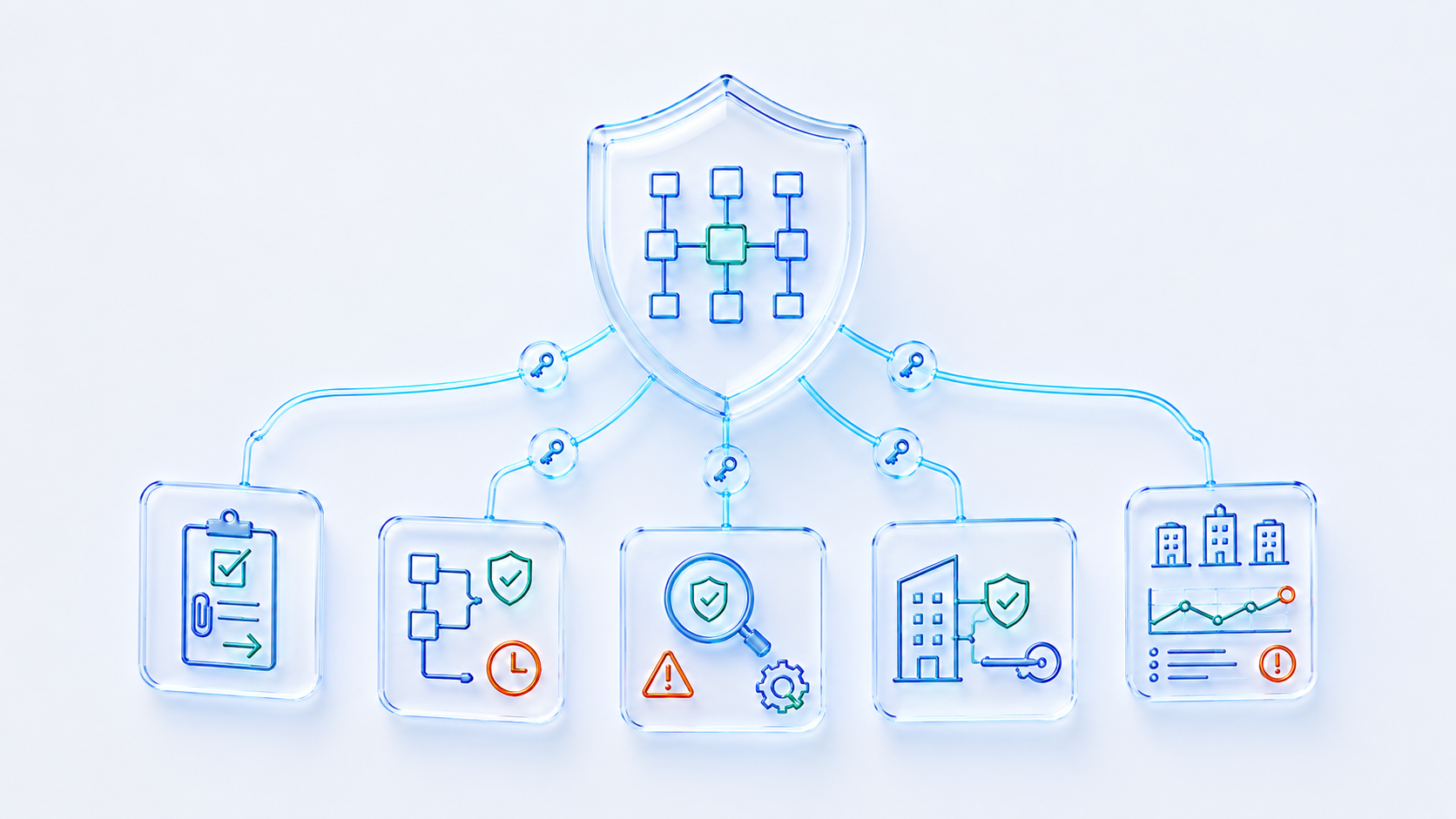
An enterprise platform should not present every user with the same complex quality dashboard. People need a clear view of the work they own, while process owners and leadership need wider oversight.
Permissions, terminology, notifications and workflow routes are configured to the organization’s structure and intended use.
CONTROLLED CORE, LIVE ASSURANCE
Use the 70/30 Model to Keep the eQMS Operational
The 70/30 model illustrates controlled governance alongside ongoing quality activity; it is not a measured allocation of effort. ZEBSOFT connects your defined framework to current evidence so teams can review whether it is operating as intended.
70% — Controlled foundation
Policies, responsibilities, process definitions, criteria, control questions, approval routes and review rules establish how work should be done.
30% — Live assurance
Assessments, evidence, actions, exceptions, approvals, overdue work and verification show whether the controlled system is operating as intended.
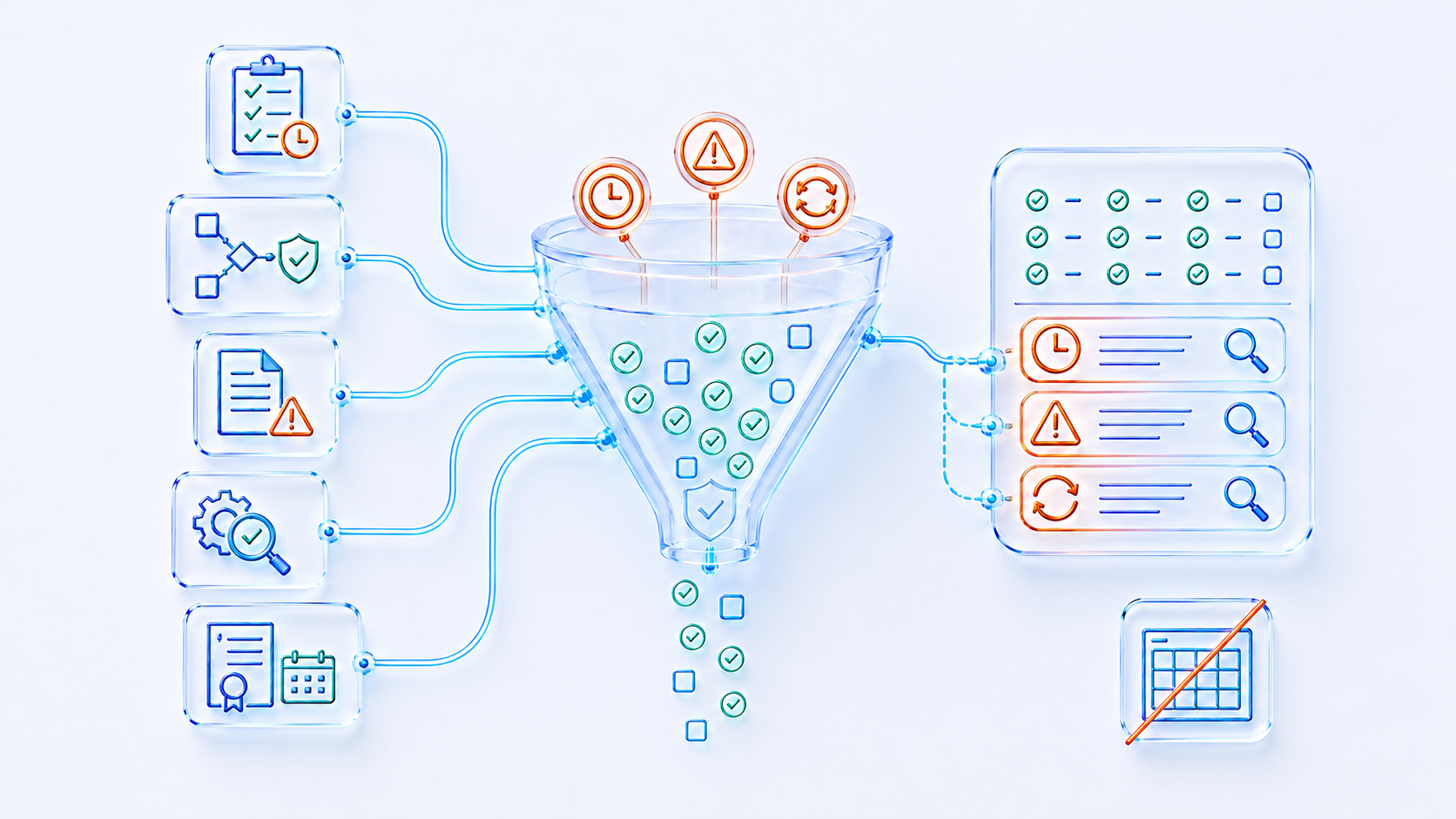
MANAGE BY EXCEPTION
See What Needs Attention Without Building Another Tracker
When quality information lives in separate files, reporting becomes a periodic collection exercise. An eQMS can use the status of governed records to show the work requiring intervention.
Dashboards should support decisions, not create false certainty. Users must be able to move from a summary into the underlying record, owner, evidence and history.
REGULATED USE WITH CLEAR RESPONSIBILITY
Support Controlled Quality Operations—Then Validate the Intended Use
For US operations with regulated or customer-specific requirements, start by assessing the intended use and required controls. Review the proposed workflows, access permissions, change history, approvals, records and reporting against your documented needs before agreeing the implementation scope.
Configure for intended use
Map the organization’s procedures, roles, records, controls and decision points before treating the platform as part of the regulated process.
Apply procedural controls
Define access, training, administration, review, change control, retention and governance around the configured system.
Confirm obligations
Regulated organizations remain responsible for confirming intended use, configuration, procedural controls and applicable validation requirements.
Software features do not make an organization compliant by themselves. Suitability depends on the required use, configuration, implementation, operating procedures and evidence.
A PRACTICAL MIGRATION ROUTE
Move from Spreadsheets and SharePoint in Controlled Phases
Plan the rollout around your US facilities, process owners and operating schedules. Preserve required records, agree how historical evidence remains accessible and pilot the connected workflow before extending it across the business.
01
Inventory
List the current registers, libraries, forms, workflows, owners and reporting dependencies.
02
Prioritize
Start with high-friction or high-risk processes where missed actions and weak links matter most.
03
Design
Define the future record, roles, decision gates, evidence, states and exception route.
04
Migrate
Clean owners and statuses, import necessary current records and retain legacy evidence appropriately.
05
Prove and extend
Test the configured route with users, correct gaps and then extend it to further sites or processes.
Start with one connected process, such as audit finding to CAPA or document change to training. ZEBSOFT is UK-based with AWS London hosting; discuss US time-zone coverage, data-location requirements and training arrangements during implementation planning.
EXPLORE THE CONNECTED PLATFORM
Go Deeper into the Quality Capabilities
Document control
Connect controlled information to review, approval and training activity.
Audit management
Plan audits and connect findings to accountable corrective work.
Enterprise eQMS FAQs for US Teams
Can an eQMS replace every spreadsheet?
No. Spreadsheets remain useful for calculations, analysis and controlled supporting work. The priority is to move records that depend on workflow, ownership, approvals, evidence, status and follow-through into the eQMS.
Does an eQMS replace SharePoint?
Not necessarily. SharePoint can remain a collaboration and content platform. ZAP can become the governed operational layer for quality records and workflows, with the system boundary agreed during implementation.
How should we choose the first eQMS process?
Choose a route with visible hand-offs, repeated follow-up and meaningful risk—such as audit findings, CAPA, document change, training or supplier evaluation. Define the intended outcome before configuring the form.
Can ZAP support US and international facilities?
Yes. Configure shared controls, local owners and cross-facility oversight around the agreed scope. Confirm the data structure, permissions, terminology and reporting needs for each location during scoping.
SEE THE DAILY WORKFLOW
Connect Your US Quality Operations With ZEBSOFT
Bring a process from your US operations: a recurring nonconformance, cross-facility CAPA, document change or supplier issue. We will show how ZAP can connect the people, evidence, actions and approvals involved.
Discuss your facilities, existing systems, implementation priorities and assurance requirements so the proposed configuration fits how your teams work.