
SUPPLIER QUALIFICATION FOR US TEAMS
Supplier Approval and Evaluation Software for US Teams
Approve Suppliers on Evidence—Not Assumption
ZEBSOFT supplier approval software helps US procurement and quality teams qualify vendors against defined requirements. Connect questionnaires, supporting evidence, specialist reviews and approval decisions for domestic and overseas suppliers.
Give each reviewer the criteria and evidence relevant to their role. ZAP keeps missing information, conditions and follow-up actions visible while authorized people retain responsibility for the supplier decision.

THE APPROVAL RULE
An Approved Supplier List Is a Decision Register—not a Contact List
A supplier should not become approved because a form was returned, a certificate was uploaded or a buyer needs an urgent order. Approval requires a defined basis, sufficient evidence and an authorized decision.
No evidence, no unsupported approval
ZAP can require specified information before the workflow is released to the decision-maker. Mandatory evidence, incomplete answers and unresolved exceptions remain visible rather than disappearing inside email.
Approval must state what was approved
An approval without scope, conditions or a review point can create false confidence. The recorded outcome should explain what the supplier may provide, which limitations apply and when suitability must be reconsidered.
THE ZAP ASSURANCE CHAIN
Questions → Logic → Evidence → Actions → Traceability
ZAP turns the organization’s supplier requirements into an operational workflow. Each element has a specific role in moving the supplier toward—or away from—approval.
01
Questions
Ask only what is relevant to the supplier category, scope and risk route.
02
Logic
Use configured answers, thresholds and mandatory gates to determine the next step.
03
Evidence
Attach the document, response, audit result or record supporting the evaluation.
04
Actions
Assign missing information, correction, mitigation or further assessment to an owner.
05
Traceability
Retain the response, evaluation, exception, decision and subsequent review history.
The configured workflow can guide and control the route, but an authorized person remains accountable for supplier approval. This distinction is essential: ZAP provides operational assurance; it does not replace professional judgment.
THE CONTROLLED DECISION WORKFLOW
How a Supplier Reaches the Approval Gate
Configure qualification routes around the products, services and dependencies your US business buys. Keep a consistent approval record while assigning the reviews and evidence appropriate to each supplier category.
01
Classify
Identify the supplied scope, accountable owner, criticality and applicable evaluation route.
02
Define
Apply the questions, mandatory evidence, weighting, thresholds and approval authority.
03
Request
Issue the required information request internally or through the external portal where included.
04
Evaluate
Review responses, inspect evidence, score relevant criteria and identify exceptions.
05
Resolve
Return incomplete items, assign mitigation or require further audit and corrective action.
06
Decide
An authorized person approves, conditionally approves, restricts or rejects the supplier.
07
Re-evaluate
Review the decision when a date, change, incident, performance result or risk trigger requires it.
RISK-BASED CRITERIA
Use the Right Evaluation for the Supplier
An office-supply vendor, contract manufacturer, cloud provider and on-site contractor present different evaluation needs. Define the qualification route around the supplied scope, affected facilities and operational risk.
Supplier evaluation software should let the organization define proportionate routes while preserving the same fundamental control: criteria, evidence, evaluation and an accountable outcome.
Example evaluation routes
STANDARD
Core identity, scope, terms, required declarations and owner approval.
ENHANCED
Additional evidence, risk review, financial or compliance checks and senior approval.
CRITICAL
Detailed due diligence, audit or technical assessment, exception resolution and scheduled re-evaluation.
The route names and requirements are configured around the organization’s real process.

EVALUATION WITH EVIDENCE
Make the Score Explainable
A percentage alone does not demonstrate supplier suitability. The evaluator must be able to see which answers produced the score, which evidence was reviewed and whether any mandatory requirement failed.
ZAP can support configured scoring and thresholds while keeping the underlying response available for human review.
A supplier must not pass simply because a high total score hides a failed critical requirement.
THE APPROVAL GATE
Use Decision States That Control What Happens Next
The outcome should drive a clear operational position. Effective supplier approval software makes that position explicit, while status names, permissions and downstream effects are agreed during configuration rather than assumed from a generic label.
Pending evaluation
Required information is being collected or reviewed. The supplier has not yet passed the approval gate.
Restricted
Approval applies only to a defined product, service, location, value, activity or time period.
Conditionally approved
The supplier may proceed within stated limits while identified conditions or actions remain controlled.
Approved
The authorized decision-maker accepts the defined supplier scope with a recorded basis and review date.
Suspended or rejected
The supplier cannot be used within the affected scope unless the decision is formally changed.
Review due
The previous decision requires re-evaluation because a planned date or configured trigger has been reached.
WORK BY EXCEPTION
Do Not Let a Weak Response Disappear Into the Average
Configured logic can identify the response that requires intervention and route it to the right person. It should support the decision—not silently make it.
Missing evidence
Hold the workflow, request the missing item and retain the outstanding requirement against the supplier.
Critical failure
Prevent a calculated total from overriding a mandatory failure and escalate for an accountable decision.
Conditional acceptance
Record the limitation, responsible owner, action, due date and evidence required to close the condition.
Change or expiry
Trigger review when configured evidence expires or a material change affects the original approval basis.
Notifications, escalation periods and state changes depend on the agreed workflow. ZAP can make the configured exception visible and assign the response; the organization determines the appropriate control.
A REAL-WORLD ZAP WORKFLOW
Qualifying a Critical Provider for US Operations
A US manufacturer is evaluating an outsourced service that affects product quality and handles controlled customer information across two facilities. Procurement coordinates the request while quality, security and continuity reviewers assess their assigned requirements.
Keep the approved scope, facility coverage and any limitations visible to the teams using the provider. Conditional approval must follow the agreed criteria; unresolved mandatory failures cannot be hidden by a high score.
What the record should show
Scope: the exact outsourced service under consideration.
Route: critical supplier evaluation.
Evidence: responses, controlled files, audit or assessment records.
Exception: the unmet recovery requirement and its operational effect.
Decision: conditional approval with a named authority.
Control: mitigation owner, due date and restricted approval period.
Review: closure evidence and the next planned evaluation.
ACCOUNTABLE WORKFLOW
Separate Contribution, Evaluation and Approval
Business sponsor
Defines the business need, supplied scope, relationship owner and operational dependency.
Supplier contributor
Provides the permitted responses, declarations and supporting information where portal access is included.
Subject evaluator
Reviews assigned criteria and evidence, records findings and recommends the relevant outcome.
Authorized approver
Accepts accountability for the approval, conditions, restrictions, rejection or re-evaluation decision.
THE APPROVED SUPPLIER POSITION
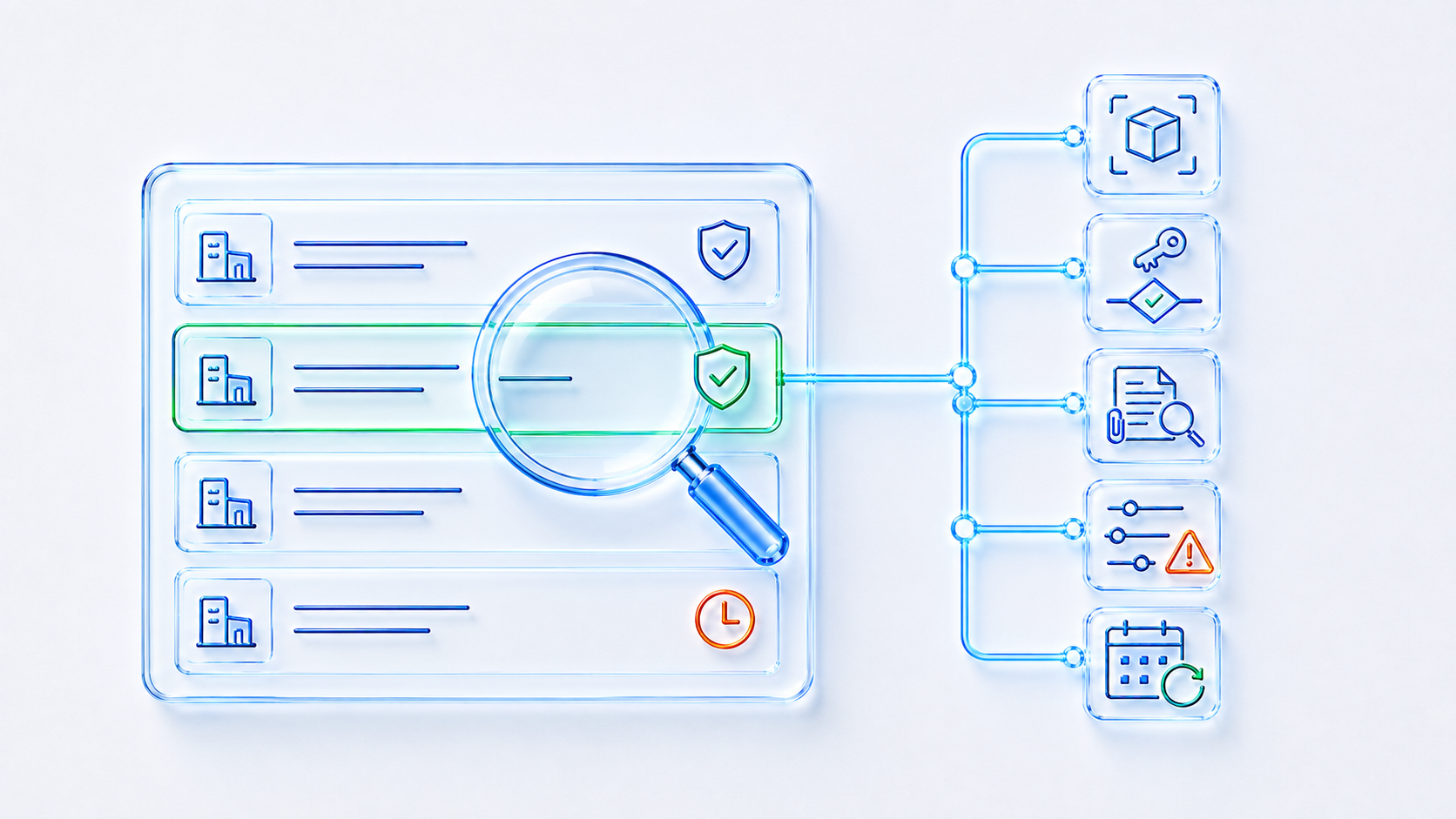
Make the List Explain Why a Supplier Is Approved
A useful supplier approval software dashboard should help authorized users identify the current decision and the work requiring attention. It should not reduce complex supplier assurance to a green icon without context.
CONNECTED ASSURANCE
Connect the Decision to the Evidence Around It
Connect qualification and approval with your wider supplier lifecycle. Link audits, risk assessments and ongoing evidence reviews so changes can be considered against the original decision.
Supplier domain
Place approval within the full discovery, onboarding, monitoring and review lifecycle.
Supplier portal
Request selected responses and evidence from external supplier users where the portal is included.
Audit management
Use supplier audits, findings and corrective actions where questionnaire evidence is insufficient.
Risk and controls
Relate criticality, dependency and exceptions to the organization’s wider risk position.
APPROVAL QUESTIONS
Supplier Approval Software FAQs for US Teams
Can ZAP automatically approve a supplier?
ZAP can apply configured questions, logic, thresholds and workflow gates. The accountable approval decision should remain with an authorized person unless the organization has explicitly designed and accepted a different low-risk process.
Can US and overseas suppliers follow different qualification routes?
Yes. Configure routes around supplier category, scope, location, risk and your documented requirements. Agree the evidence, review responsibilities and approval rules during implementation.
Does a score prove that a supplier is suitable?
No. A score is one input. Reviewers must consider mandatory failures, evidence quality, exceptions, scope and risk before recording an outcome.
How is supplier re-evaluation controlled?
A review can be planned by date or initiated through configured changes, evidence expiry, incidents, performance results, audit findings or other agreed triggers.
DEFINE IT. EVALUATE IT. ASSURE IT.
Connect Supplier Qualification Across Your US Teams
Bring a supplier questionnaire or approval process from your US operations. See how ZEBSOFT connects criteria, evidence and decisions. Discuss US time-zone coverage, training and data-location needs with the UK-based team; customer data is hosted in AWS London.